
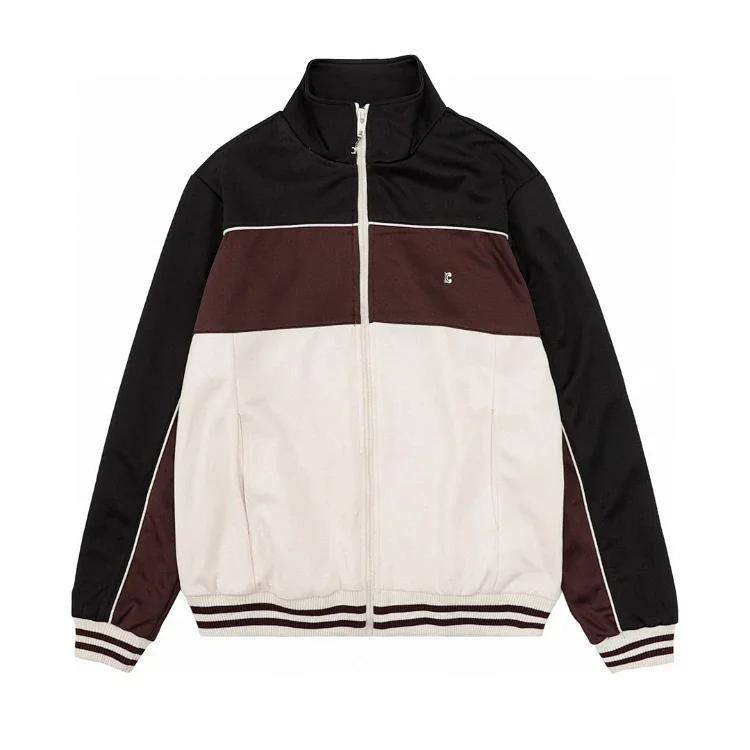
Begin with the inspection OOPBuy says it performs
OOPBuy’s public inspection page says warehouse staff verify quantity, color, size and other product specifications and inspect appearance for damage. That is a useful baseline because it defines the normal task as a visible receiving check. It does not say the warehouse performs destructive testing, authentication, material analysis or a full functional examination of every product.
The practical buyer question is therefore not “Did the warehouse approve it?” but “What evidence can I see, and is it enough for my decision?” Read the order note beside the photos. A warning about a wrong color, visible stain, broken packaging or missing part matters even if the thumbnails initially look acceptable. Match every warning to a view and keep the source listing open beside it.
Know what the regular photo set is designed to show
OOPBuy’s fine-photography notice says regular inspection generally provides three ordinary-pixel photographs taken from the front, back and side, or a logo view depending on the item. Three views can confirm that the warehouse received the broad product and can expose some obvious differences. They are not guaranteed to show every seam, measurement, serial label, sole, plug or accessory.
Use a category-specific sequence. For clothing, check the ordered size label, front and back graphics, color blocking, zipper or button area and visible stains. For shoes, compare the pair, size tag, outsole, heel shape and obvious glue or alignment issues. For bags, inspect the overall shape, closures, handles, corners and included straps. For electronics, confirm model markings, plug or connector type and visible damage, but do not assume a photograph proves battery health or long-term function.
Separate visible evidence from claims a photograph cannot prove
A clear image can support observations about color, count, shape and surface condition. It cannot reliably establish authenticity, exact fabric composition, waterproofing, comfort, smell, internal construction or durability. Even measurements have limits if the tape is angled or the garment is not laid flat. Use precise language in your own notes: “the size tag reads M” is stronger than “the fit will be medium.”
Color is especially easy to overstate. Warehouse lights, automatic white balance and screen settings can make one photo look warmer or cooler than the seller gallery. Look for a major mismatch rather than expecting perfect color equivalence between cameras. If color is critical, ask for a view beside a neutral reference only when the service allows it and explain the need clearly.
Spend on an extra photo only when it can change the decision
The published warehouse-services table lists detailed photos at CNY 1 each after free inspection photographs, whether requested after storage or during the product order. The fine-photography notice says buyers should write a specific requirement and ensure that the requested number of images matches the instruction. A vague request such as “take better photos” wastes the opportunity.
A good request identifies one view and one purpose: “show the size label close enough to read,” “measure the chest from pit to pit with the garment flat,” “photograph the damaged right corner,” or “show the connector and model label.” Do not order ten images merely because they are inexpensive. Decide first what result would make you return, exchange or keep the item, then request the minimum evidence needed to reach that decision.
- Useful: readable label, measurement, damaged area, underside, connector or missing accessory.
- Usually weak: another distant front image, a decorative angle or a request with no named detail.
- Record the request in plain language and include the product ID when the platform asks for it.
Use the return window before parcel submission
The current OOPBuy return-and-exchange notice says a no-reason request can be made within five days—120 hours—after the order becomes “Stored in Warehouse,” counted from the next full hour. A clock like that is a reason to review photos promptly. It is not a universal right to return any item: the seller’s after-sales rules, product category and listing restrictions still matter.
OOPBuy’s general returns page says the first return or exchange operation in each calendar month is exempt from its service fee. Additional applications can involve a platform service charge as well as delivery back to the seller, and an exchange may involve more than one domestic shipping leg. Items advertised with “no returns or exchanges” should be treated as higher risk before purchase. If the wrong variant or a serious visible defect appears, open after-sales first rather than building an international parcel and hoping to fix it later.
Keep free storage and after-sales deadlines separate
OOPBuy publicly advertises 90 days of free storage. That period is useful for consolidation, but it is not the return window. An item can remain stored while its easiest after-sales route has already expired. Approve or dispute each item soon after intake, then use the remaining storage time only for goods you intend to ship.
The storage notice says an extension costs CNY 10 per 30 days after the free period, while the value-added-services table describes CNY 10 per product ID per month and a maximum total storage period of six months. Because those two public descriptions are not identical, use the deadline and price shown in the account when purchasing an extension. A guide that hides the discrepancy would be less useful than simply telling readers to verify the live rule.
Understand why the first shipping number is not final
A shipping calculator can only work with the destination, product type, weight and dimensions available at the time. Before packing, those values are incomplete. Shoe boxes, puffer jackets and protective materials occupy space; removing packaging may reduce volume, while corner guards, bubble wrap or a stronger box may increase it. Carriers and lines also apply different billing and restriction rules.
OOPBuy’s parcel tutorial explicitly says the first payment is for estimated shipping and that the actual shipping cost is payable in “My Shipments” after packing. This is one of the most important facts for a new user because it prevents a preliminary quote from being mistaken for an invoice. Keep a reserve and compare again when the packed data appears.
Use paid parcel services for a defined reason
OOPBuy’s published value-added table lists rehearsal packing at CNY 20 per parcel and parcel photographs at CNY 5 per parcel. Rehearsal packing is designed for users who want an actual packed weight before submitting the parcel order. The parcel-photo service describes one image before sealing and one after sealing. Those services answer different questions: rehearsal data helps compare shipping; parcel photos document the final package.
Neither service automatically makes every parcel cheaper or safer. If removing a shoe box is acceptable, packaging changes may reduce volume. If the contents are fragile, extra protection may be worth the added size. Choose the service from the risk of the actual contents, not from a generic checklist. Confirm the current service names and prices in the account before payment.
Compare routes on eligibility, tracking and compensation
The lowest displayed rate is not useful if the line does not accept the product, has an address restriction or offers a tracking and compensation structure you do not accept. Use the correct destination, declared contents and parcel data. Read restrictions for batteries, liquids, oversized items and other sensitive categories. If the estimator excludes a line after the packed data changes, compare only what remains eligible.
OOPBuy’s insurance page says loss or damage compensation follows the standard attached to each line. That means “insurance available” is not enough information. Check the compensation cap, excluded events, evidence required and claim timing. Customs inspection and tax are also not controlled by a warehouse photo or shipping coupon. Keep your product invoice, parcel record, declaration, selected line and tracking history together.
The warehouse-to-parcel decision tree
When the order becomes stored, open the original listing, read the inspection note, review all regular images and mark any question that would change the decision. Request only the needed view. If the item is wrong or unacceptable, check seller eligibility and open after-sales before the deadline. If it is acceptable, place it in the consolidation group.
When the group is ready, enter the real destination, review item restrictions, decide on packaging and obtain the closest available packed data. Compare eligible lines by total cost, tracking, transit expectations and compensation terms. Submit only when the contents, declaration and route make sense together. QC and shipping are not two separate chores; they are a single chain of evidence leading to the final parcel decision.
Research record
Source titles are shown for transparency without outbound links. Product, category and search actions on this site lead only to the main catalog.
- OOPBuy Inspection InformationPublic description of checks for quantity, color, size, specifications and visible damage.
- OOPBuy Introduction to Fine PhotographyPublic explanation of the three regular inspection views and requested fine-photography views.
- OOPBuy Warehouse Value-Added ServicesPublished service table for rehearsal packing, parcel photos, detailed photos and storage extension.
- OOPBuy Return and Exchange ServicePublished after-sales application window for items stored in the warehouse.
- OOPBuy Returns and RefundsPublished service-fee and seller-shipping conditions for returns and exchanges.
- OOPBuy Storage PolicyPublished 90-day free-storage statement and extension wording.
- OOPBuy Parcel TutorialExplains that the first parcel payment is estimated and the packed parcel produces the actual charge.
- OOPBuy Shipping EstimatorCurrent destination- and parcel-based route estimation tool.
- OOPBuy Insurance and CompensationPublished direction to use the compensation rules attached to each eligible shipping line.